
Free file manager for Windows · 0.5.8
Ten reasons to use Cadri Commander.
Ranked. The last reason is the most exciting, but take the journey through the others first.
Start at ten ↓10
Archives are folders.
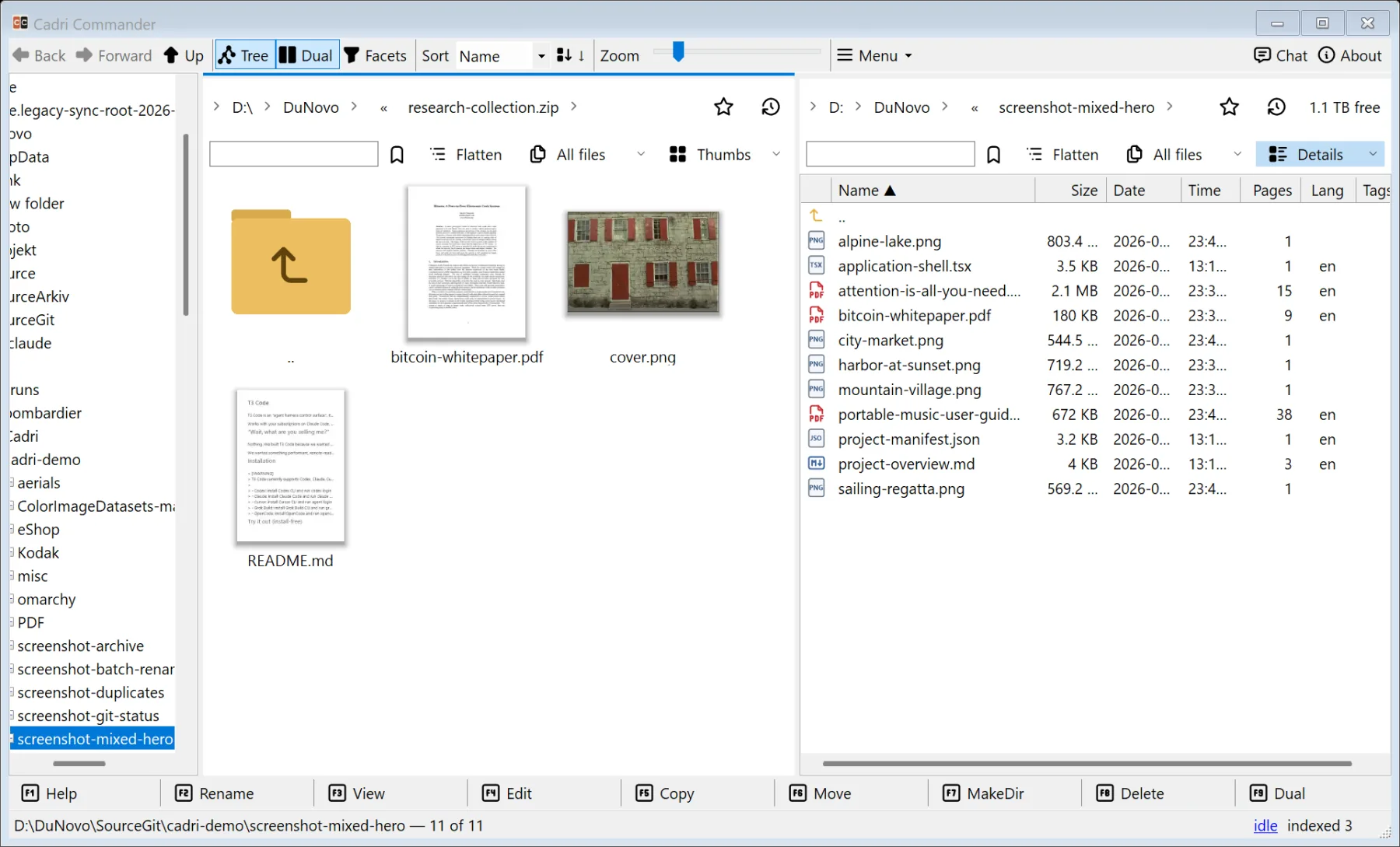
ZIP, 7z, RAR, TAR, ISO, VHD, WIM, DEB, MSIX, JAR, APK and more open as folders, nested or on a server. Create ZIP, 7z and TAR; edit eligible ZIP and 7z in place. Read-only formats say so, and what works inside a nested or remote archive depends on that format and that server.
9
Screenshot, then mark it up.
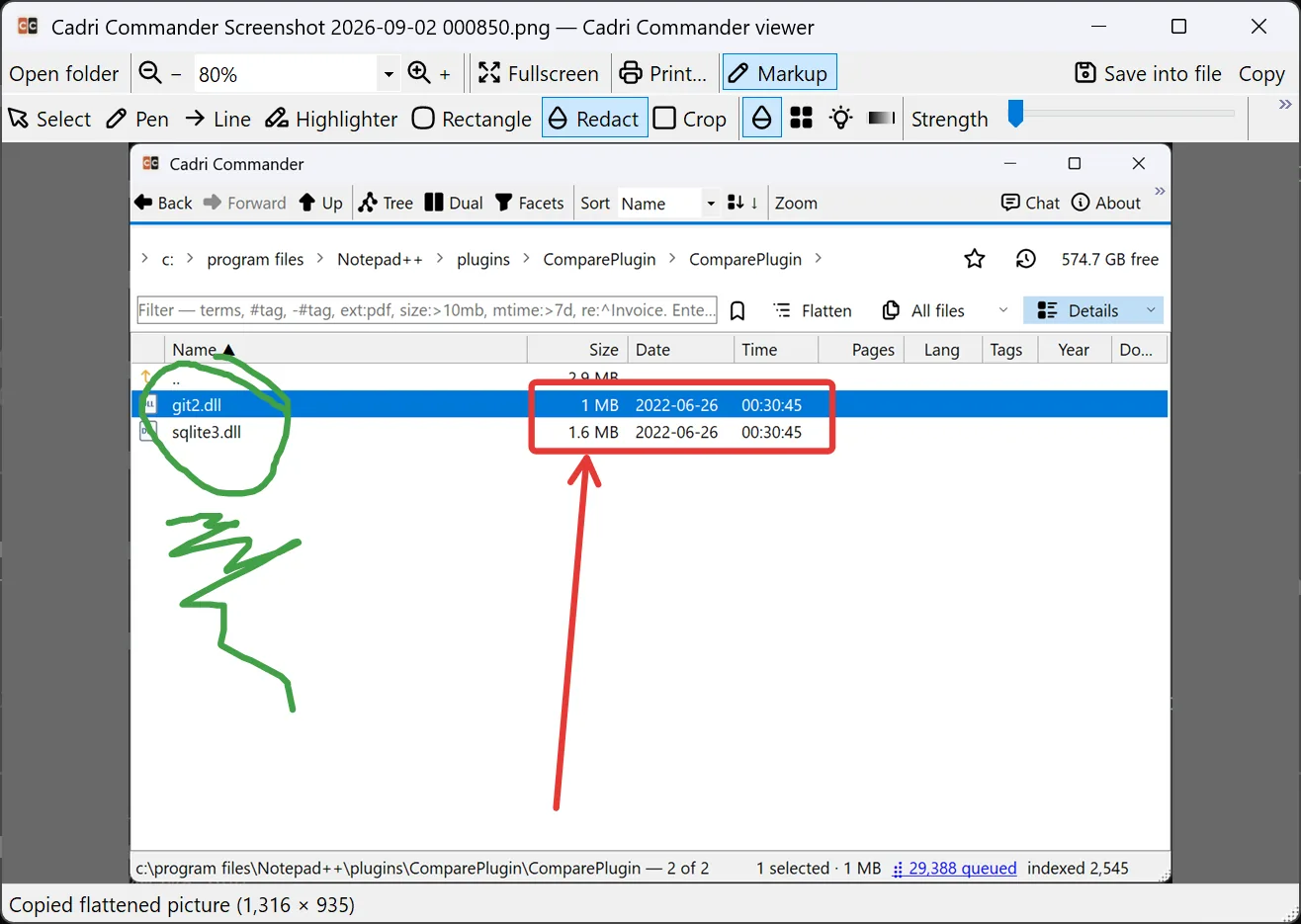
Capture a window, control, region or monitor from a hotkey; the built-in shortcut sheet lists it. It lands in the image viewer with pen, arrow, rectangle, blur, redact, crop and numbered badges. Saving flattens, confirms and backs up.
8
See the shape of a folder.
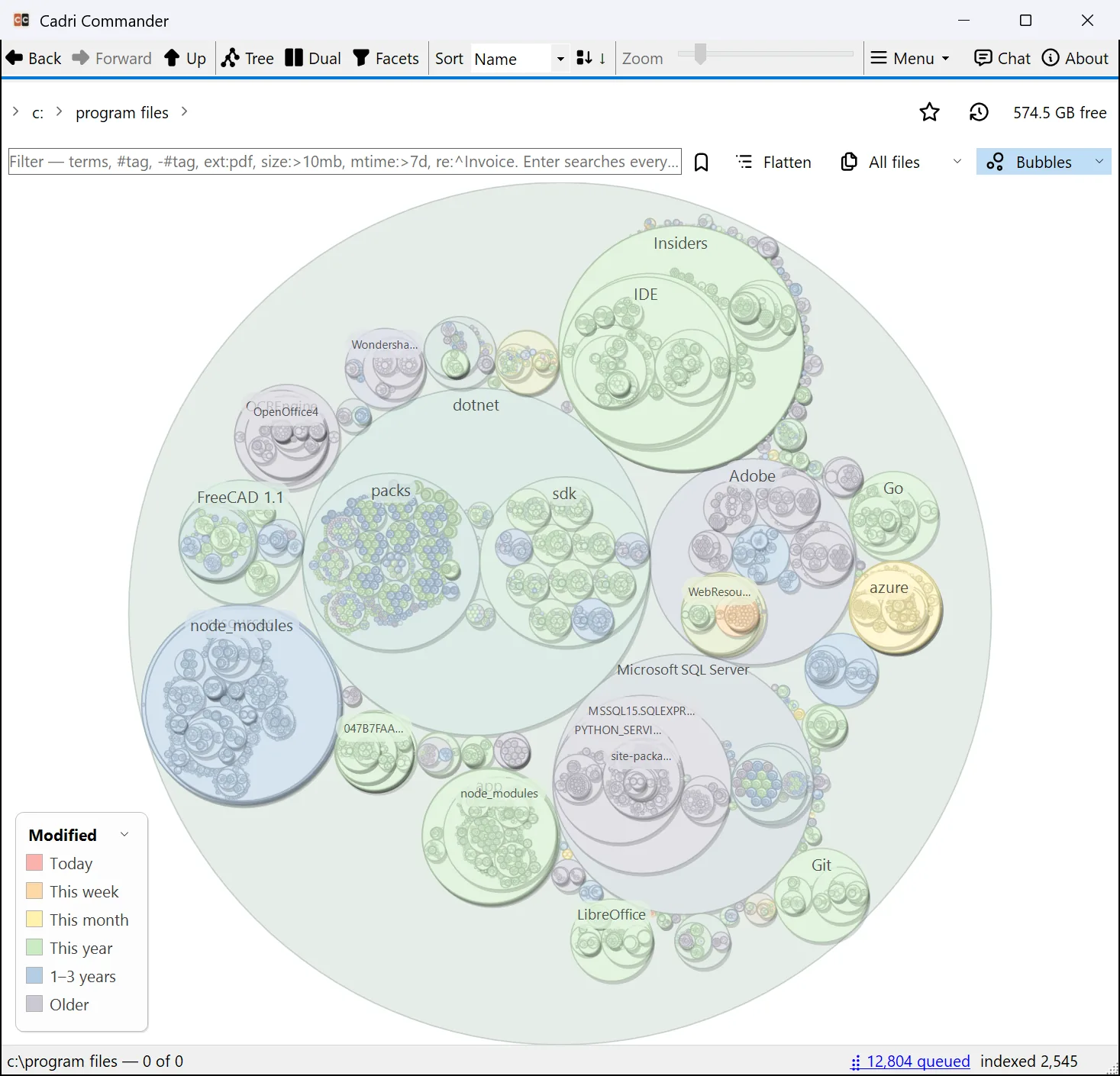
Bubbles and Treemap draw the whole subtree: area is bytes, colour is the fact you choose, age, type, language, Cognitive Complexity, PDF class, document year or Git status. Calendar draws the same files by day.
7
Every server in the same panes.
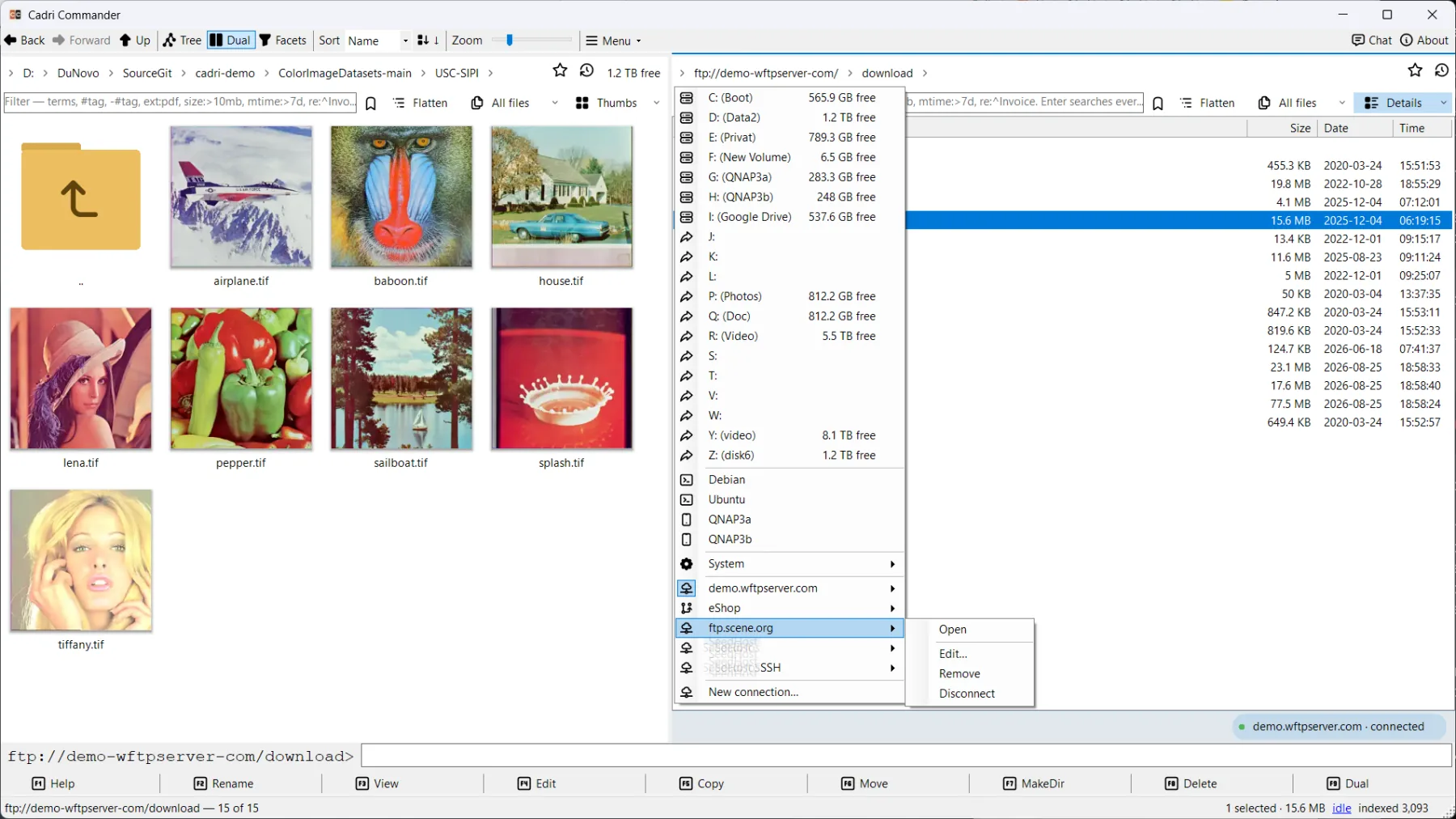
Shares and NFS; FTP, FTPS, SFTP and WebDAV; S3 and Azure Blob; OneDrive, Dropbox and Drime with your own sign-in; phones; and git:// revisions. All beside your local drives, with one pausable, journaled transfer queue for remote copies.
6
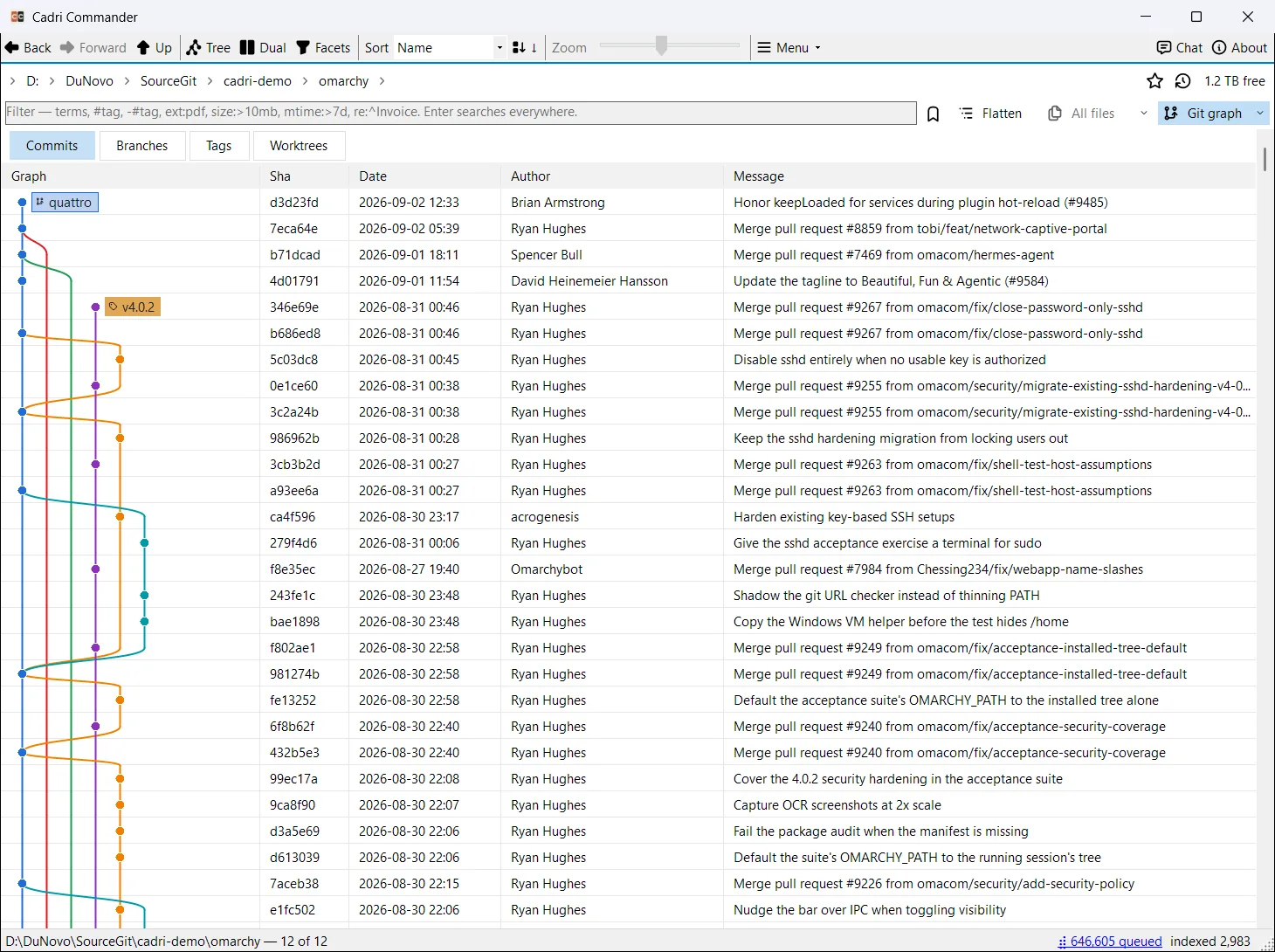
Git. Fully integrated.
Git is fully integrated into the file manager: status on every file, a commit graph with branches and tags, history, diff and blame. Browse any revision read-only, then commit, pull or push right where you work. Changes happen on your command, with fast-forward pulls and no force pushes.
5
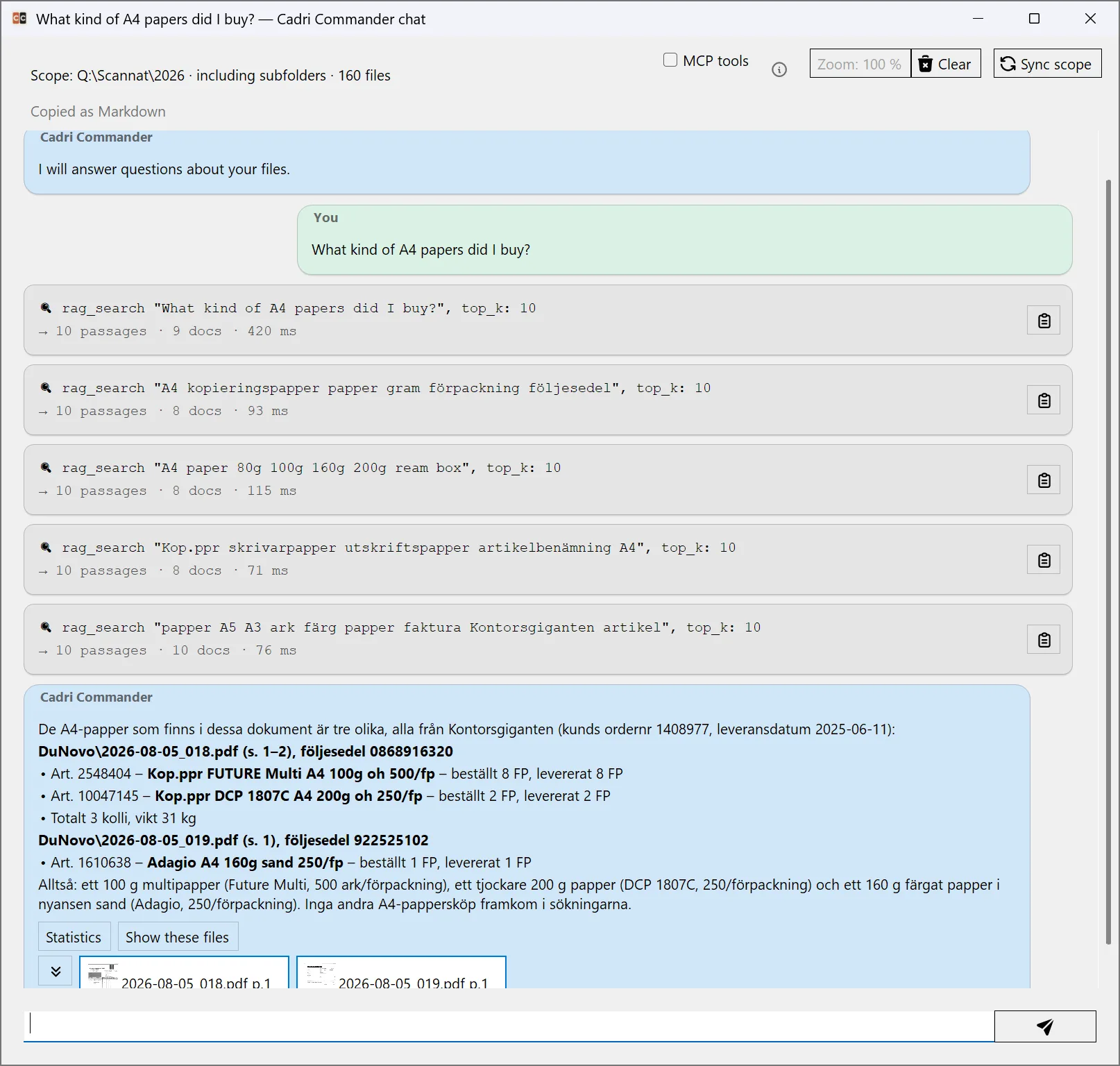
Ask the folder. Get sources back.
Optional chat over the folders you allow, with every retrieval call visible and the answer linked back to the files it retrieved; read them, a model can still be wrong. Off until you configure a model or endpoint, internal models are an optional download, and browsing never depends on it.
4
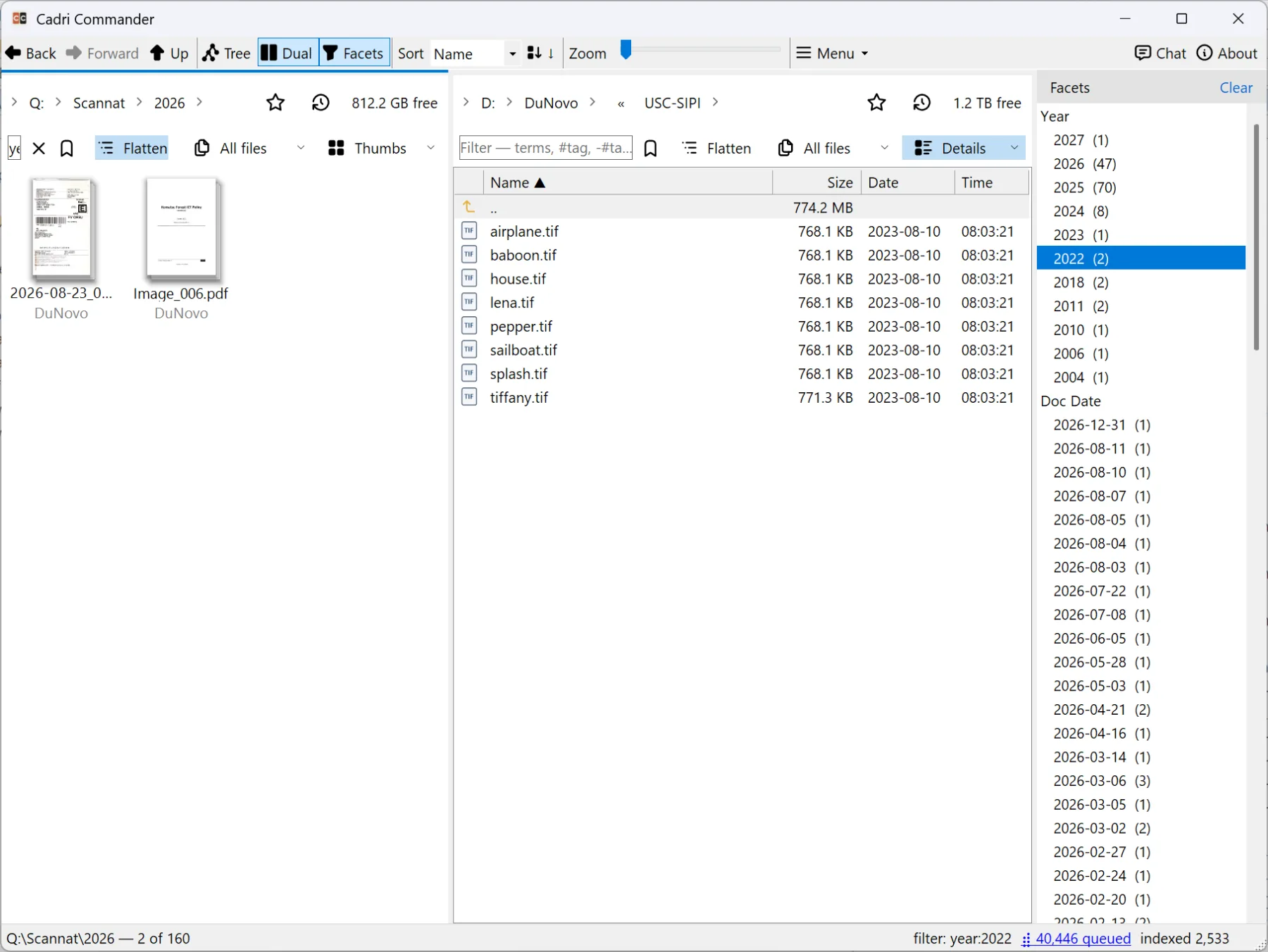
Facets, tags and the year inside the document.
Indexed facts become clickable counts. Tags and Markdown notes stay with the file through moves and rebuilds without changing it. Sort a scanned archive by the year printed on the page, once the index has read it: the document year comes from the text, OCR or entity extraction, not from the file date.
3
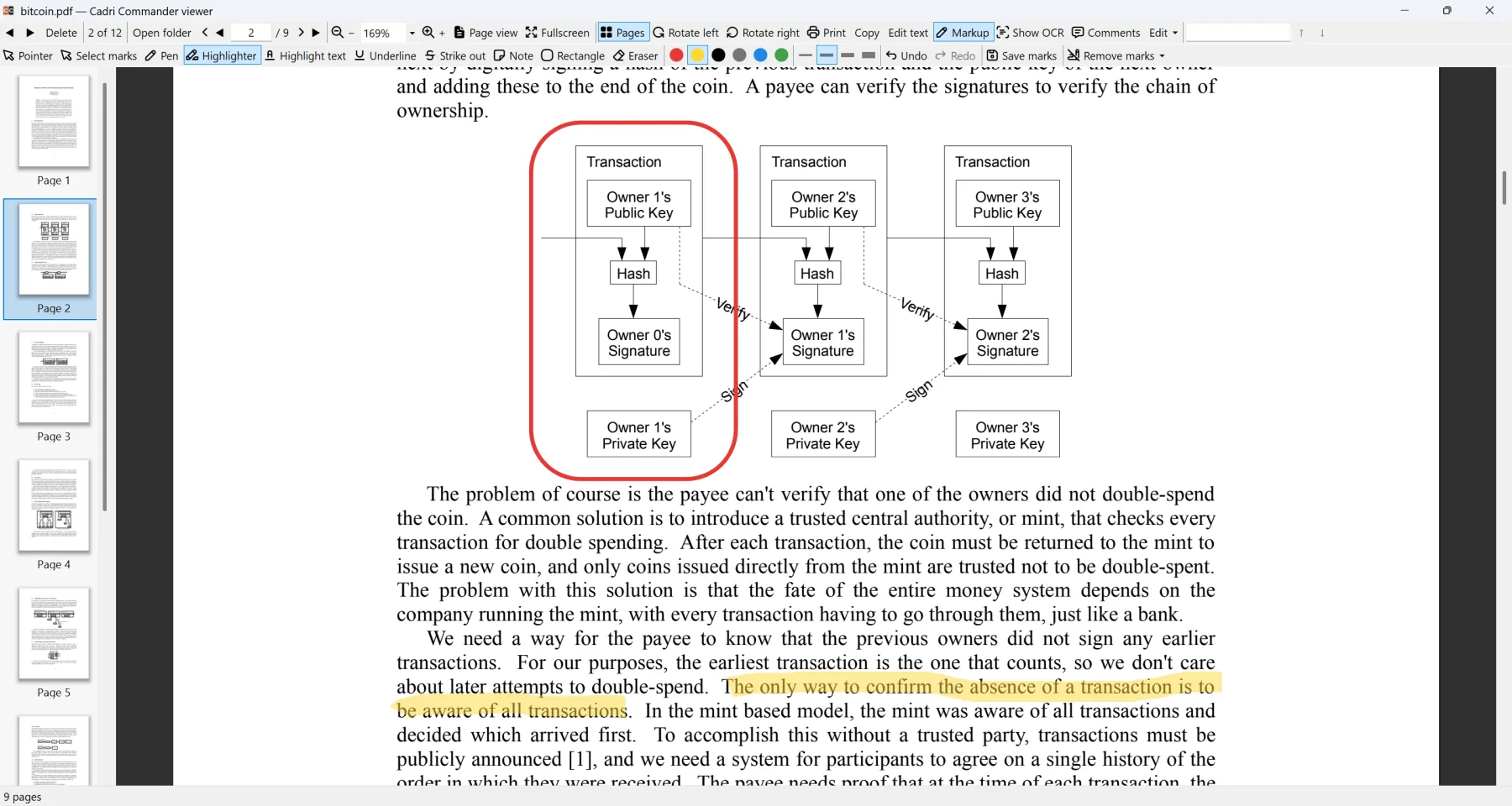
A PDF desk inside the file manager.
Read, search, OCR overlay, markup with grouped undo, rotate, reorder, split, merge, extract, optimise with a visual check, edit text where it is safe, and a preflight that reports what it checked and never says “certified”.
2
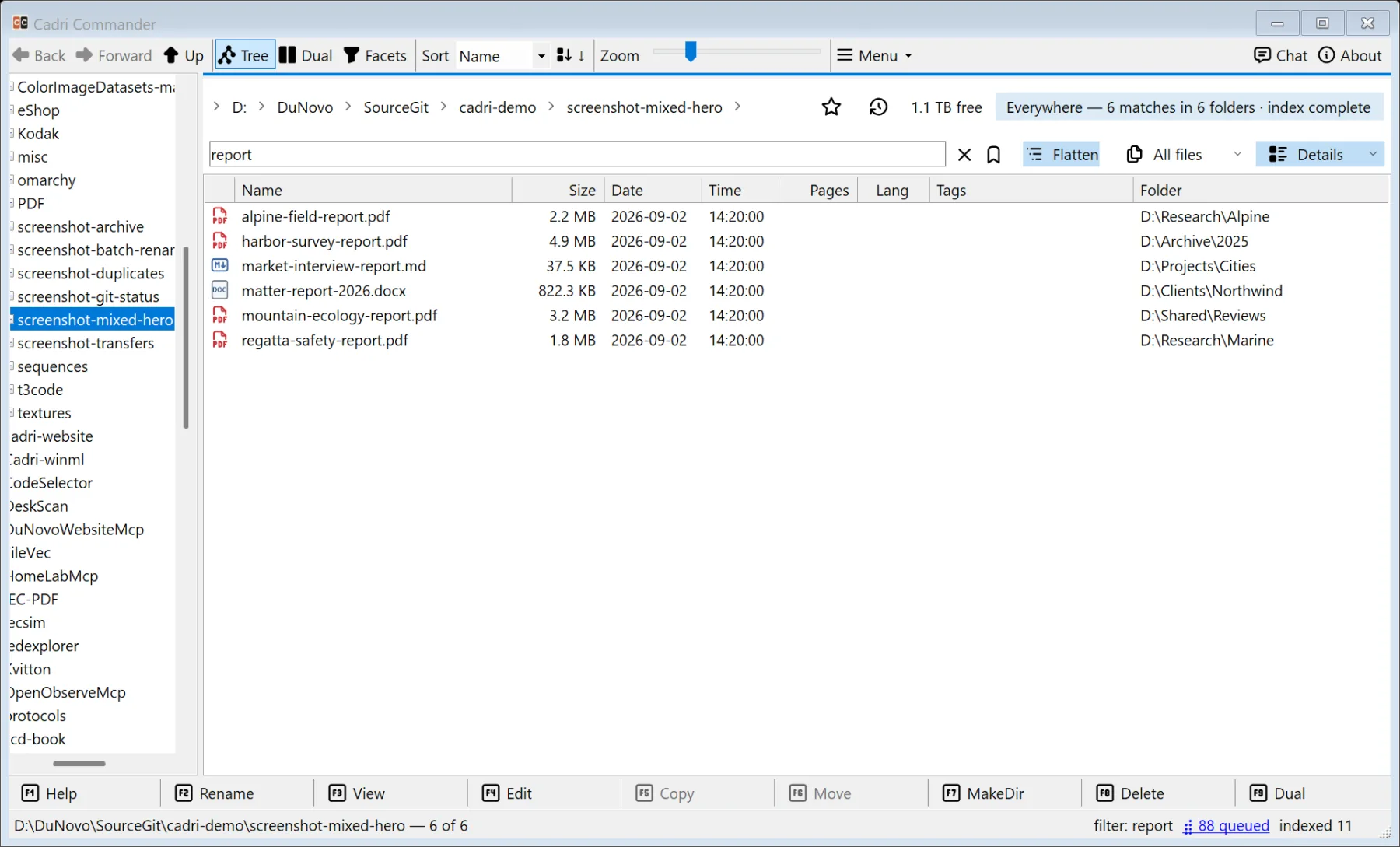
One box that understands you.
A bare word filters file names as you type. ext:pdf, #tag, size:>100mb, mtime:>7d, pdf:scanned, git:modified and has:ocr filter by what the index knows. Enter searches the whole index, full text included; sem:"termination clause" searches by meaning; ask: starts the chat.
1
Markdown. From reading to writing.
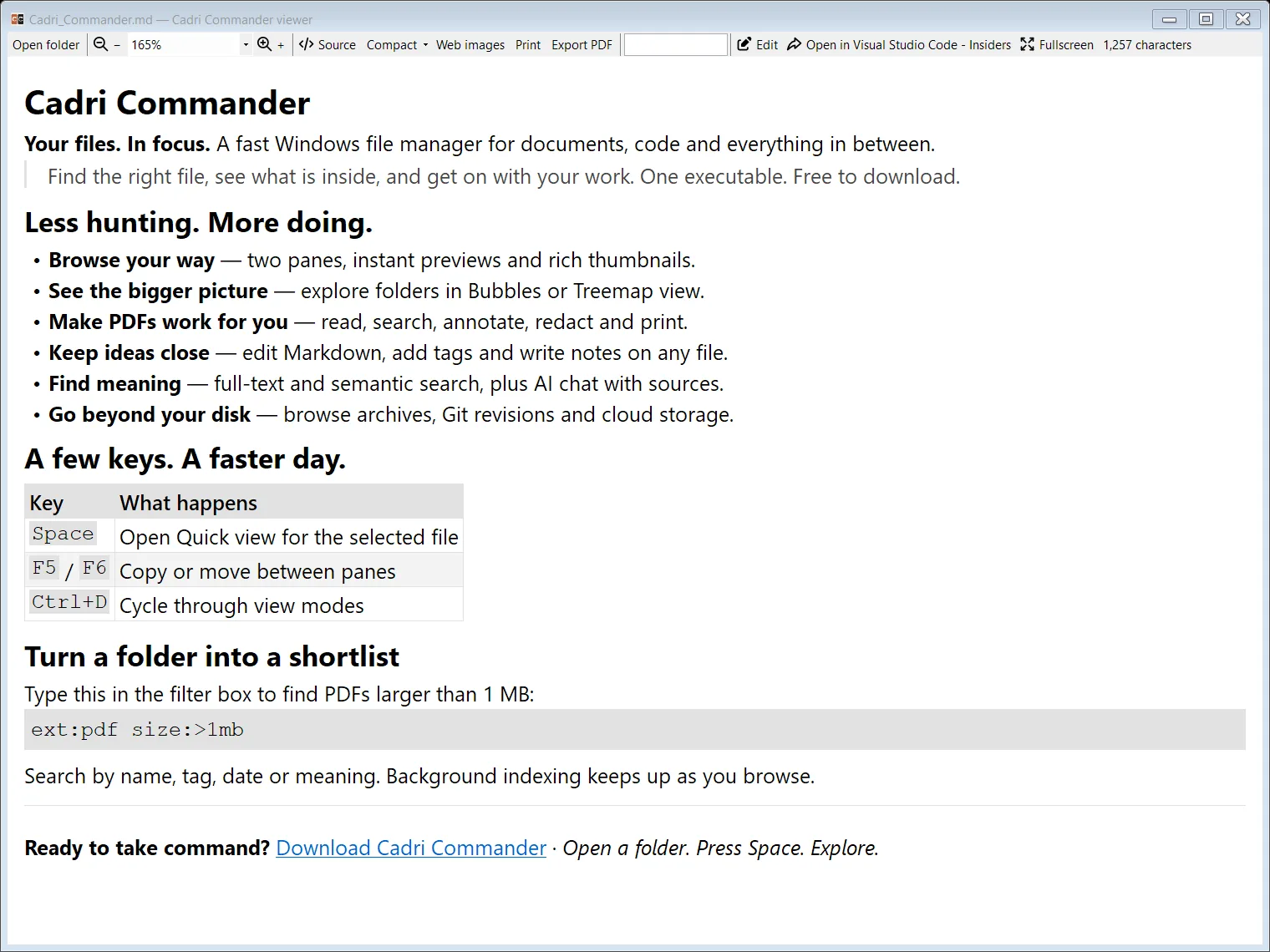
Press Space on a Markdown file and see it rendered instantly. Read a README, follow links, search, print or export to PDF. Switch to the built-in editor to write, format and tick off tasks. Preview, viewer and editor all ship inside Cadri Commander.
Add Markdown notes to any file, too. They are searchable, stay with the file through moves and leave the original untouched.
0
Free direct download.
Zero cost. No application account. No runtimes to install. Just one self-contained executable for Windows 10 version 1809 or later, Windows 11, x64. Optional AI models are separate downloads you choose yourself.